I have had 3 mineral posts flagged as adult content today. They contained a tourmaline, a muscovite, and a galena. On Friday I had 3 fossil posts flagged as adult content, including a fossil fish, a fossil tooth from a mastodon, and a Tyrannosaur vertebrae. I’ve submitted appeals for each. This has been getting worse over the past month, apparently most of geology content is now only for adults.
Apparently you can’t get your rocks off on Tumblr anymore.
i am contractually obligated to congratulate you on this reply
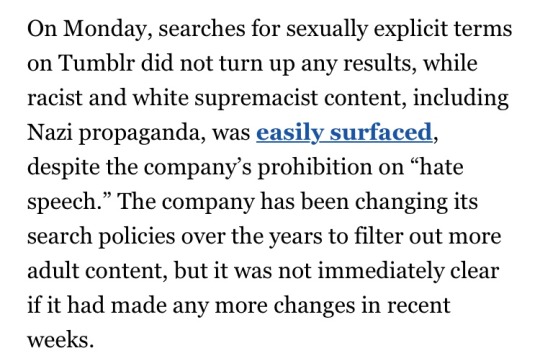
When even the mainstream media sees that @staff is okay with nazis while getting offended at the female nipple.
This is a publicity nightmare omg
OMG! Okay, but this is PERFECT. Because this is a mainstream publication pointing out what we have been saying since this shitshow began. I’m not sure it will help us any, but I am VERY PLEASED that it gets attention where people outside of this bubble see it.
LJ to tumblr was more gradual in my fandom corner. LJ to IJ and DW, now those were a mad rush. I’ll warn you in advance, Anon, the moving process is going to sound laborious when I lay it out here, but as a matter of small actions over the course of years, it’s not as burdensome as it appears.
1. Trust no website. Terms of Service can change in a blink. Servers can fail. Hackers can strike. Site owners can decide ‘screw this’ and unplug the whole damn thing. Never think of any site as permanent. Five to seven years has been the lifespan of any non-fandom created site as a peak fandom hub in my experience, for exactly the kind of thing we saw at LJ, and are seeing at tumblr now. Until we own the servers, migration is fandom tradition.
2. Keep your own backups. So far as you are able, don’t delete your own files, get some external storage, keep your Dropbox active, check on your externals a couple times a year for file integrity and to add to the stash. Download reviews and discussions you like. Copy paste into docs and stash them on flashdrives for old times sake. It’s not foolproof, technology can fail, but don’t rely on the platform to keep all your copies for you.
3. Multiplatform. Even if you only tweet once a month, or visit your dreamwidth for Christmas, keep a presence at secondary and tertiary hubs. Makes it more likely other people who have scattered will run into you, and that you will run into them. Multiple platforms can also serve as backups for your content.
4. The split model of posting. Tumblr had images, writing, meta, memes and crack all in one bundle. Pillowfort might too. But until that’s fully viable, consider going back to the old-fashioned method of putting art on an art site, fics on a fic site, discussion on a discord or journal. Might feel like you’re spreading yourself thin if you’re used to tumblr’s one stop shop approach, but the immediate goal here is to save our content and find each other again. Cast the net as wide as you’re comfortable with handling. Either a fitting option will eventually turn up for fandom to gravitate towards, or you’ll find yourself comfortable in one or more of your new fandom neighborhoods.
5. Export and import features. Some sites offer them and it’s good to take advantage even before the writing goes on the wall. For backup purposes if nothing else.
6. Revisit the old haunts on occasion, if you haven’t been kicked right out. Post your ‘forwarding address’ to remind anybody still straggling around where you mainly are now, if they want to find you. (For this reason I do not recommend deleting your profile on your own. You don’t want name squatters moving in either.)
I hope this helps some. Even ‘half-packed’ as I was, I have backing up of my own to do and can only hope we’ll all be able to stay in touch with the coming distance. Good luck, everyone.
From someone who’s survived MySpace, livejournal, deviantart, and fanfiction.nets’ content purges and bad policy updates, here’s some advice on how to get through tumblr’s recent bullshit:
– don’t knee jerk delete. I know it’s tempting to peace out immediately but hang on and do the other steps first. Out right ghosting and erasing everything is how fandom’s die.
– archive everything on your blog you want to keep
– tell your followers how they can archive and keep your work too. A lot of fic and art were only saved from ff.net and lj because other people saved it first. If you’re cool with other people saving your work for them to personally keep, let them know this. You can absolutely discourage reposting but I really do highly recommend you allow people to personally save fic and art they like and are worried will disappear forever. Digital Dark Ages are a real thing.
– tell people where you’re jumping ship to. Give links. Keep that info up, even if you’ve left the site.
– go through who you follow and find out where else you can follow them. Save their work if they’ll allow it. It’s tedious as hell but if you want to keep up with people on here clicking on their page to check in is the best way to do it.
– support places like ao3. This is exactly why ao3 asks for donations a few times a year. They are a 100% anti-purging, judgement free, ad free non profit run by an elected board and protected by lawyers. Places like ao3 literally save fandom so please continue to support them and other similar archives. This is exactly why ao3 is so important.
the more friends ask me about dreamwidth, the more i realize i know a lot about this site that isn’t super obvious at first glance. so here is a primer for those of you thinking about making a dreamwidth account. this post ranges from your really basic starter tips to the completely esoteric things that come from using it for a decade.
a what now? dreamwho?
Dreamwidth is a code fork of LiveJournal. A code fork means that they took LJ’s code (which used to be open source) and went their own direction with it. They still use the basic ideas behind LJ’s codebase, but have changed and improved upon it in various ways.
The core difference between DW and other websites is privacy isn’t an afterthought, but is the central feature. You can lock posts, filter them to a select group, or make them visible to only you. I recommend reading through this section of DW’s FAQ for more on this.
When you make an account, you can subscribe (ie follow) and grant access to other users. Both of these are one-way – if A subscribes to B, that doesn’t automatically grant B access to all of A’s locked posts. Here’s more on this.
DW in general can be kind of confusing for people who have only used tumblr, but their FAQs are pretty good on the whole, and they’re searchable. If a website feature is confusing, start there.
okay, i have a journal. now what?
Customize it! DW doesn’t have all the latest and greatest features, but you can still make it your own. Here are some useful tips.
You can change your layout from Organize > Select Style. Mobile support is hit or miss, unfortunately, but there are some nice default layouts that work with it. You can also use this style for Practicality which makes DW fully mobile-friendly. If you’d rather design it yourself, Tabula Rasa is completely stripped down.
You can get premade DW layouts at the dreamwidthlayouts community. If you have trouble with your code, ask over at style_system.
Edit your profile! This is where you put your usernames for other social media sites, tell people a bit about yourself, and mention your interests. Your interests will be part of the interest search; it’s one way to find people.
Upload icons! Free accounts get 15 icons; paid accounts get 100 icons, premium accounts get 250 icons. You can use one icon in each entry and commment you make. It’s good form to put the maker of the icon in the comment section if you didn’t make it. If you got it from someone on tumblr, you can even link their blog using the code <user name="username" site="tumblr">. (This works all across DW!)
While you can’t make pages, you can set a post to stick at the top of your journal, much like Twitter’s pinned tweets. Here’s how to do it.
You can also change how Dreamwidth itself looks, if you don’t like the red. Go to Account Settings > Display. Most other site display preferences are on that page.
While you’re here, look through the Account Settings > Privacy page. By default, your public entries will be included in site searches. You can turn it off at the bottom of the page if you want. You can also set it so your entries are automatically access-locked or private as well.
This got very long so the rest is behind the cut. (Now you really know I’m legit.)
For people who want to use Dreamwidth, but are totally confused about how it works!
What is Dreamwidth?
Dreamwidth is a social media platform founded in 2009 after Strikethrough
It’s made out of a heavily-modified version of Livejournal code
It’s based around producing your own original content, and seeing original content other people post
The site is owned and run by fans and aims to provide creative people with an Internet home
Getting around your account
Your journal is like your “home”. It’s where you keep your stuff. It’s got different parts:
Recent Entries: View your posts in chronological order
(yourusername.dreamwidth.org)
Profile: Your “about” page
(yourusername.dreamwidth.org/profile)
Archive: See your posts as a calendar
(yourusername.dreamwidth.org/archive)
Tags: See all the tags you’ve used and go to their posts
(yourusername.dreamwidth.org/tag)
Memories: Like the “Likes” feature on Tumblr
You also have a “Reading” page (yourusername.dreamwidth.org/read)
This is like your Tumblr dash
It’s where you read entries from your “circle”, the people and communities you’re subscribed to
You can customize it a lot with filters and control who you see when
Finding new things
Listing an Interest in your profile is like getting listed in the phonebook. This is opt-in, choosing to say, “Yes! I’m really into this thing! Consider me a person who blogs about it!
Content Search is the more powerful way to search through the blog of everyone who’s opted into it, so you can look for everyone who’s posting about a certain thing right now. However, you’ll have to wade through a lot more junk.
Communities are Dreamwidth’s social hubs. They’re places where a lot of people can share content they’re interested in and talk to each other. Unlike Tumblr tags, they’re managed by specific people and have rules, so people behaving badly can get kicked out.
Paid members can see the Network page, which shows entries from everything everyone in your circle subscribes to. It’s a great way to discover new stuff and also learn what awful taste some of your circle members have
Latest Things is a direct firehose of EVERYTHING PUBLICLY POSTED TO THE SITE, HOMG
Privacy controls?! That’s a thing?!
You get to choose who sees your posts! You can make your posts public, private, or “locked”, which means only people you’ve added to your access list can read them
When you add a new person to your circle you can choose to subscribe to them, to make their posts show up on your Reading page, and/or to grant access, which lets them see your locked posts. You can do one, the other, or both!
Likewise, communities can make posts viewable to members only.
You can also create custom access filters, to allow only some of your access list to see a post.
Banning someone means they cannot leave you comments or send you messages. There are more advanced tweaks to make sure they never show up on your reading page if they post to a community you subscribe to, or remove them from the comments on a post.
Comments
The comments to a post are where the real fun happens.
Comments are sent to the email of whoever you’re replying to. They’re a real conversation. You’re not shouting into the void–you’re talking back directly to the post’s originator and other commenters.
You can edit your comment so long as it hasn’t been replied to, and you can delete your own comments.
The originator of the post, and administrators if it’s a community, can delete threads, or “freeze” them, leaving them intact but preventing anyone from replying to them.
You will add new skills to your resume
Dreamwidth leaves a lot more “backend” open so you can customize your experience to a huge degree. However, this means learning or using coding languages like HTML and CSS
The comment box on entries does not have a built-in text editor, so you will have to add your own HTML if you want to add <i>italic</i>, <b>bold</b>, or <a href=“http://websiteurl.com”>links</a>.






 Ardwynna's Place